
Merkury Smart
Merkury InnovationsHouse & Home
4.02.22K Reviews
- Version
- 3.22.0
- Installs
- 500.00K
- Age Rating
- Everyone
Screenshots
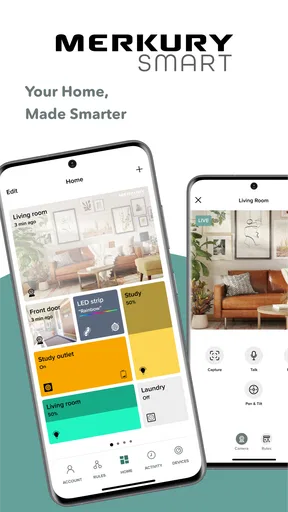
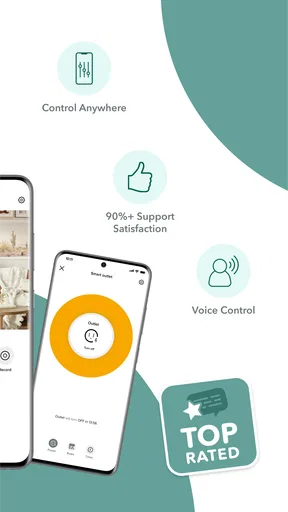
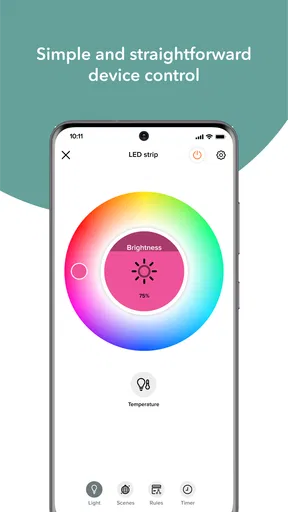
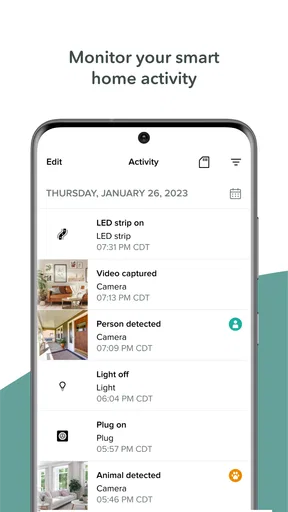
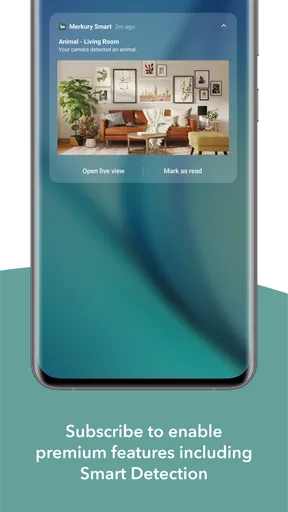
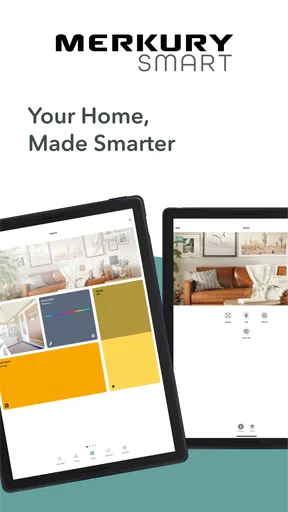
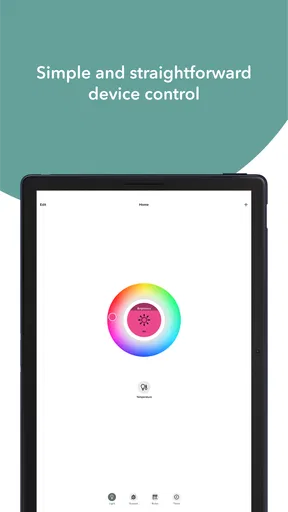
Our Review of Merkury Smart
 Analysis by Appyee
I found Merkury Smart most useful when I treated it as a practical control panel rather than a novelty app. It belongs to the House & Home category and is made by Merkury Innovations for managing compatible smart devices from a phone. The basic promise is simple: reduce the number of separate controls scattered around the home and make everyday actions easier to repeat.
That simplicity is also the key to deciding whether it deserves a permanent place on your phone. During the first few days, controlling a connected device from an app feels satisfying. After that, the question changes. Do you still open it regularly? Does it save time during ordinary routines? Is it dependable enough that you stop reaching for a physical switch or another control method? In my experience, the answer depends less on excitement and more on how many compatible devices you actually use.
From an appealing first week to a useful household habit
The initial appeal is easy to understand. Instead of checking several device-specific controls, I can use one home-focused app to reach the connected products that work with it. That matters most in small routines: adjusting a light before settling down, checking a device without walking across the room, or making a quick change while carrying groceries or managing children.
The app is free, which removes the biggest barrier to trying it. Its Everyone content rating also makes it suitable for a shared household where different family members may need access. I would still introduce it gradually rather than connecting every device at once. A smaller setup makes it easier to identify which products are genuinely useful and which ones merely add another screen to a task that was already quick.
One practical approach is to begin with the device you touch most often. If the app makes that one action easier, add another device only after the first routine feels natural. This avoids a common smart-home problem: building a complicated setup before proving that it saves effort. The most valuable result is not having many devices listed in the app; it is having fewer interruptions in the routines you repeat every day.
I also like the idea of using the app as a shared reference point. When several people live together, physical controls are obvious but can be limited by location. A phone-based controller can be more convenient when someone is in another room or away from the immediate area. That convenience is strongest when the household agrees on which devices matter and avoids turning the app into a cluttered catalogue.
There is a trade-off, though. A phone is not always faster than a nearby switch. If I am standing beside a light, reaching for the switch can still be more direct. The app earns its place when it handles a situation the physical control does not handle well, such as remote access within the home, a device in an awkward location, or several actions that I want to manage from one place.
What makes the first setup feel worthwhile
My advice is to decide on a few repeatable jobs before spending time exploring the interface. For example, use it when leaving home, when preparing for bed, or when settling into a room for the evening. These moments reveal its value quickly because they occur often enough to expose both convenience and friction.
A useful test is whether I remember to open the app without consciously thinking about it. If I do, the app has become part of a habit. If I only open it to demonstrate the smart device to someone else, the novelty is probably carrying more weight than the practical benefit.
Another non-obvious benefit is consistency. A dedicated physical control can be easy to misplace or forget, while the phone is usually already nearby. That does not make the app universally better, but it can make a difference for people who move between rooms, work from home, or manage devices from a sofa or bed. The convenience is modest each time, yet repeated actions are where modest savings become noticeable.
On the other hand, I would not recommend starting with a complicated household-wide migration. People who dislike troubleshooting should connect only a small number of products and keep their ordinary controls available. That way, a temporary app problem does not turn a basic task into a household disruption.
How it compares with ordinary alternatives
The usual alternative is to use each device’s own control method, whether that means a physical switch, a remote, or a separate manufacturer app. Those methods can be perfectly adequate when there is only one product. Merkury Smart becomes more convincing as a central place for compatible devices, because the value comes from reducing fragmentation rather than from replacing every physical control.
It is also different from relying entirely on a phone’s general settings or a broad smart-home platform. A more universal platform may be preferable for someone who owns products from many unrelated brands and wants one extensive ecosystem. Merkury Smart makes more sense when your home is already built around compatible Merkury products or when you want a focused controller without committing to a larger system.
The important word is “compatible.” I would check that a device works with this app before buying it, rather than assuming that every smart-home product can be added. This is one of the clearest situations where another option may be better: if your devices come from a wide mix of brands, a broader platform could reduce the need to maintain separate apps.
What remains valuable after the novelty fades
After the first month, the app’s value is mainly about repetition. I do not need a smart-home controller to entertain me; I need it to make a few household actions predictable. If it helps me handle the same tasks with less movement and less searching, it has lasting value. If it requires frequent attention for tasks I rarely perform, it becomes another app to maintain.
The strongest long-term use case is a home with a small group of compatible devices that serve different rooms or routines. In that situation, a central controller can reduce mental load. I know where to look when I need to make a change, and I do not have to remember which separate app belongs to which product. That is not a dramatic transformation, but it is the kind of quiet convenience that can survive beyond the first-week excitement.
The app has a current version of 3.20.0 and supports Android 7.0 or later, so it can remain an option for people who are not using a recent phone. That wider device support is useful in households where an older phone is kept as a shared controller. I would still pay attention to how the app behaves on the particular device being used, especially if that phone is slow or mainly reserved for home controls.
Its audience is not tiny: the app has passed 500 thousand installs, with an average rating of 4.1 from roughly 17 thousand ratings and about 2.1 thousand written reviews. Those figures suggest a substantial user base and a generally positive reception, but I would not treat them as a guarantee that every setup will feel smooth. Smart-home experiences depend heavily on the devices involved, the phone, and the household’s expectations.
For month-to-month value, I would judge the app by three questions. Can I find the device I need quickly? Does using it reduce steps compared with the alternative? And does it remain useful when I am tired, busy, or in a hurry? A controller that looks impressive during a calm setup session may still fail the real test if ordinary actions take too much attention.
Small workflows that improve its staying power
One effective workflow is to organize usage around moments rather than devices. Instead of thinking, “I need to open the app for this particular product,” I think, “I am leaving the room, so I should check the relevant controls.” This makes the app easier to remember and helps reveal whether it supports a genuine routine.
I also recommend keeping the number of frequent actions small. If every possible control becomes part of the daily process, the app can feel busy. Choosing the few actions that matter most makes the controller easier to live with and reduces the temptation to check it unnecessarily.
Another useful habit is to review the setup when a device changes location or purpose. A control that was helpful in one room may be less useful after moving the product. Removing attention from obsolete routines is part of maintaining a smart-home system, even when the app itself remains installed. This is where many connected-home setups lose their advantage: not because the technology stops working, but because the original arrangement no longer matches the household.
For people sharing a home, agree on a simple naming approach that makes sense to everyone. Names based on room and purpose are usually easier to recognize than personal nicknames or installation details. This is a small organizational choice, but it can prevent hesitation when someone else needs to use the app for the first time.
The maintenance burden you should expect
The main maintenance burden is not necessarily opening the app; it is keeping the whole setup understandable. Each connected device introduces another thing to identify, test, and explain to other household members. If a phone is shared, that explanation matters even more. A system that only one person understands is less convenient than it appears.
I would also keep ordinary controls available wherever possible. A smart-home app should add flexibility, not make a basic function depend entirely on a phone. This backup approach is especially sensible for guests, children, older relatives, or anyone who does not want to learn a new interface for a simple task.
Updates are another part of the long-term picture. The developer, Merkury Innovations, may improve the app over time, but every update can also change the feel of a familiar workflow. I prefer to revisit the app after an update rather than assume that a forgotten setup is still arranged in the most useful way. The goal is not to inspect it constantly; it is to notice when the household’s routine has changed.
People often ask whether a free app can remain useful without turning into a recurring expense. Here, the lack of an app price makes trying it straightforward, but the broader cost is still the compatible hardware and the time spent managing it. The app itself may be free, yet a home can become expensive or annoying if it accumulates devices that do not provide meaningful daily value. I would evaluate each product separately and treat the app as the control layer, not the reason to buy unnecessary hardware.
Where fatigue begins
The first source of fatigue is opening a phone for something that used to take one physical gesture. This is why I would not use the app for every action automatically. It should be the better tool for situations where distance, convenience, or centralized control matters. For a nearby device that I operate constantly, the physical option may remain more satisfying.
A second source is uncertainty. If I have to pause and wonder whether the app registered an action, the convenience disappears. That hesitation is especially frustrating in routines such as leaving home or preparing for sleep. I would build trust slowly by using the app for low-stakes actions first, then relying on it more heavily only after it feels predictable in my own environment.
A third source is household resistance. One person may enjoy managing connected devices while another sees the phone as unnecessary. If the system requires everyone to adopt the same habits, it can create friction. The best arrangement is usually flexible: people who like the app can use it, while others can continue using familiar controls where available.
I would skip this app if I have no compatible Merkury devices, if I strongly prefer physical controls, or if I am looking for a single controller that unifies a large collection of unrelated smart-home brands. In those cases, installing a focused app may add more maintenance than value. It is also not the right choice for someone who expects a smart-home setup to manage itself without occasional organization.
Conversely, it is a sensible option for someone who owns compatible products from Merkury Innovations and wants a free, focused way to manage them from a phone. It can suit renters and small households especially well, because its usefulness does not depend on turning the home into an elaborate automation project. The best results come from modest expectations and a few repeatable routines.
My long-term verdict
My lasting impression is positive, with an important condition: Merkury Smart earns its place through repeated convenience, not through novelty alone. I would keep it installed when it gives me one dependable place to manage compatible household devices and removes small points of friction from daily life.
The app is free, rated for Everyone, and has enough adoption to feel like a practical choice rather than an experiment with no audience. Its 4.1 average is consistent with my balanced view: it can be useful and approachable, but the experience is shaped by the surrounding devices and by how carefully the household keeps its setup organized.
For me, the deciding factor is whether the app shortens real routines after the first few weeks. If it does, the value is quiet but genuine. If it only makes a single device feel futuristic for a few days, I would return to the simpler control method. That is the honest test I would suggest to a friend: install it, connect only what you already use, and keep it only if it continues saving attention once the excitement has gone.
Privacy and Permissions
See what permissions an app requests and how it handles your data.
- Location
- approximate location (network-based), precise location (GPS and network-based)
- Photos/Media/Files
- read the contents of your USB storage, modify or delete the contents of your USB storage
- Storage
- read the contents of your USB storage, modify or delete the contents of your USB storage
- Camera
- take pictures and videos
- Microphone
- record audio
- Wi-Fi connection information
- view Wi-Fi connections
- Other
- view network connections, pair with Bluetooth devices, access Bluetooth settings, change network connectivity, allow Wi-Fi Multicast reception, connect and disconnect from Wi-Fi, full network access, change your audio settings, run at startup, prevent device from sleeping
Verdict
Strengths of Merkury Smart
- Simple setup for compatible Merkury smart devices
- Remote control works from anywhere with an internet connection
- Supports schedules and automation for daily routines
- Compatible with voice assistants for hands-free control
- Device sharing lets family members access connected products
Limitations of Merkury Smart
- Works only with supported Merkury and compatible smart devices
- Some features depend on a stable Wi-Fi connection
- Cloud-based controls may raise privacy concerns for some users
- Advanced automation options can feel limited for experienced users
- App performance may vary between different device models
Similar Picks in This Category
View All
Universal TV Remote Control
CodeMatics Media Solutions3.9

AlfredCamera Home Security app
Alfred Systems Inc.4.7

Planner 5D: AI Home Design
Planner 5D4.5

Universal Tv Remote-Cast to TV
One Music Player4.1

Zillow: Homes for Sale & Rent
Zillow Group4.8

99acres Buy/Rent/Sell Property
infoedge.com4.3
Frequently Asked Questions
What is Merkury Smart, and what can I use it for?
Merkury Smart is a mobile control app for compatible Merkury Innovations smart-home products, such as cameras, smart bulbs, plugs, sensors, and other connected devices. After setup, you can manage supported products from your Android or iOS phone, check device status, create schedules, and use available automation features. The exact options depend on the Merkury device you own and its model.
How do I connect a Merkury device to the Merkury Smart app?
To connect a product, install Merkury Smart, create or sign in to an account, and follow the in-app pairing instructions. Most devices require a reset before setup and commonly connect through a 2.4 GHz Wi-Fi network rather than 5 GHz. You should also allow the requested Bluetooth, local-network, notification, or location permissions when needed for discovery and reliable operation.
Does Merkury Smart work with Alexa or Google Assistant?
Many compatible Merkury Smart products can be linked with voice platforms such as Amazon Alexa or Google Assistant, allowing you to control supported lights, plugs, and other devices with voice commands. Compatibility is not identical across every product, so check the device packaging or specifications first. Linking normally requires using the relevant voice assistant app and the same Merkury account.
Can I control my Merkury devices when I am away from home?
Remote control is available for many Merkury Smart devices as long as the product is connected to the internet and your phone has an active connection. This can let you check cameras, switch compatible plugs or lights on and off, and review device status while away. Features vary by model, and a temporary Wi-Fi or cloud-service problem may prevent remote access.
Is Merkury Smart free to download, and are there any privacy considerations?
Merkury Smart is generally free to download, although some connected products or optional services may involve additional costs. Because the app handles account information and may connect to cameras or other home devices, review its privacy policy and permission requests before completing setup. Use a strong, unique password, keep the app updated, and enable account-security features whenever available.
